NPDB Self-Query: What It Is and Why Most Credentialing Applications Ask for One

Almost every credentialing application you'll ever fill out asks for the same document: a recent NPDB self-query. It's one of the few things on the checklist you can actually get yourself, on your own schedule, instead of waiting on someone else, which makes it one of the easiest wins in the whole process, if you know what it is.
What the NPDB Actually Is
The National Practitioner Data Bank is a federal database that tracks malpractice payments, licensure actions, and certain professional review actions taken against healthcare providers. Hospitals, health plans, and state boards report to it; credentialing offices query it to confirm you don't have undisclosed history. A self-query is you requesting your own report directly, so you can see exactly what a credentialing office will see and hand it over yourself instead of waiting for someone else to pull it.
Why It's Required (and Why It's Usually a Non-Event)
For the overwhelming majority of providers, an NPDB self-query comes back with nothing on it. It is a formality, not an accusation. Credentialing offices ask for it because it's faster and more consistent than querying it themselves for every applicant, and because a self-query date shows a facility exactly when you last checked. Most facilities want one dated within the last 90 days to a year, so a copy from six months ago usually doesn't count.
What actually appears on the report
The NPDB holds three categories of information about a practitioner, and nothing else. Knowing the list may help you not to worry about it.
- Medical malpractice payments made on your behalf
- Adverse licensure or clinical privileges actions
- Judgments and convictions
Since 2013 the NPDB has also carried what used to live in the Healthcare Integrity and Protection Data Bank, which is why exclusion and certain fraud-related actions now surface in the same place.
Your self-query returns a certified PDF listing any reports that match the profile you built, or confirming that none exist. Most clinicians get the second one.
If something on it is wrong
A report you disagree with is not a dead end, but the process is specific and the grounds are narrow. You can add a statement giving your side, which appears alongside the report, or you can dispute it.
A dispute only covers three things: whether the report followed NPDB reporting requirements, whether the organization was eligible to report, and whether the report accurately describes the action that was taken. Anything else, including whether the underlying action was fair, has to be resolved with the organization that filed it.
How to dispute a report: contact the reporting organization directly, wait 60 days, and if it is still unresolved, submit a formal dispute directly to the NPDB with documentation showing the information is inaccurate or was not reportable. A dispute resolution manager, acting under authority delegated by the HHS Secretary, then reviews it..
The reason to self-query early sits within in that sixty day timeline. Sixty days is a long wait when a credentialing office is holding your file and you want to get a quick start on a dispute should you find yourself needing one.
How to get an NPDB self-query
- Request it directly through the NPDB's own self-query service. There is a small fee, and it typically takes a few days to process.
- Keep the PDF somewhere you can find it fast, since you'll be asked for it again at your next credentialing cycle.
- Refresh it before it goes stale rather than waiting for a coordinator to ask. A self-query from over a year ago is effectively as good as not having one.
Where CredentialHive Fits In
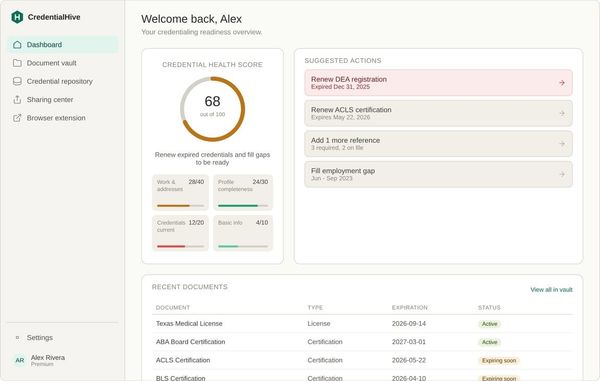
Once you have a current self-query, CredentialHive's Document Vault keeps it as a Vault Document alongside the rest of your credentialing paperwork. Once it is in your repository, the next time you are asked for one, you can easily see at a glance whether it's still current for the facility that's asking. When a coordinator needs it, you're sending a Share Link instead of digging through downloads for a PDF you requested eight months ago.
It's a small document, but it's one of the few things you can knock out today. Fill once, fill everywhere. See how it fits into the rest of your Credential Repository here: How it Works.